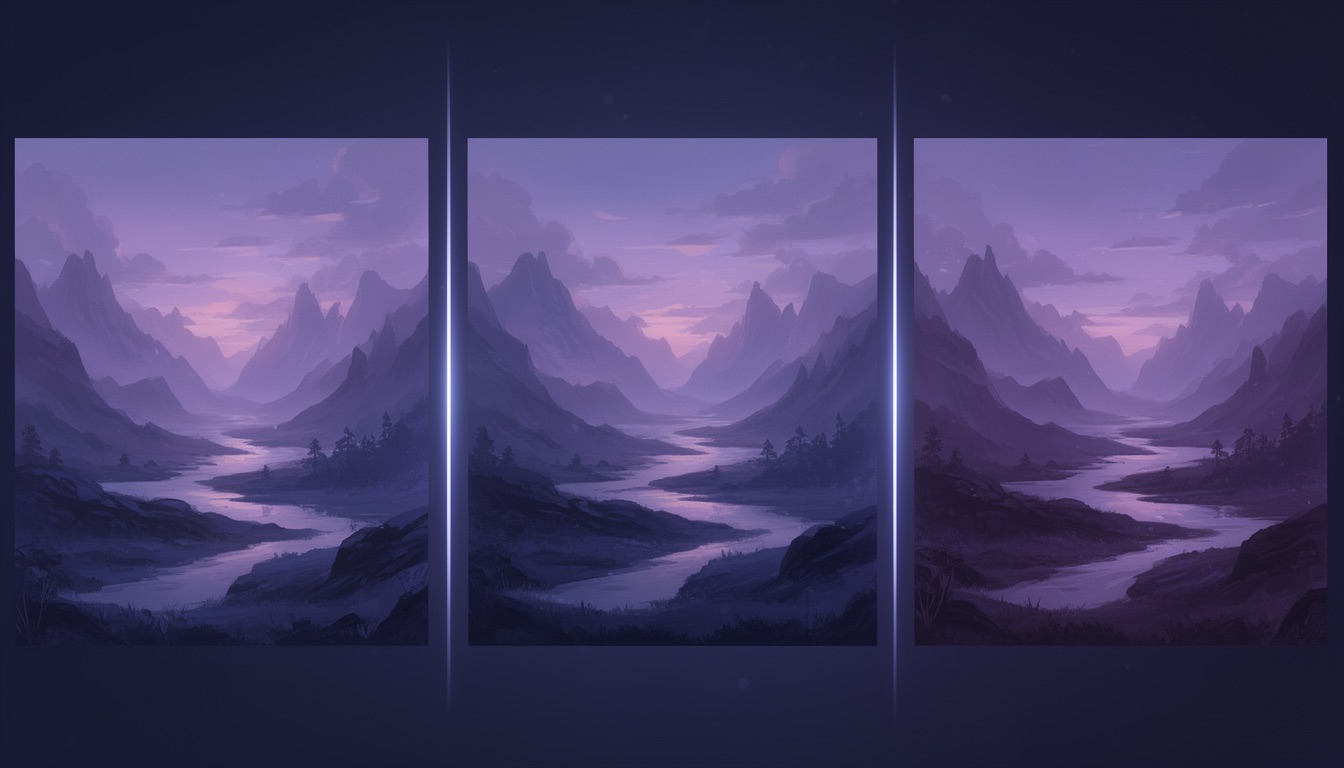
Same Prompt, 15 AI Image Models: What Actually Differed
Every AI image model is described the same way. Photorealistic. Strong prompt adherence. Excellent typography. Read enough model cards and they blur together, and none of them tells you what happens when your prompt arrives.
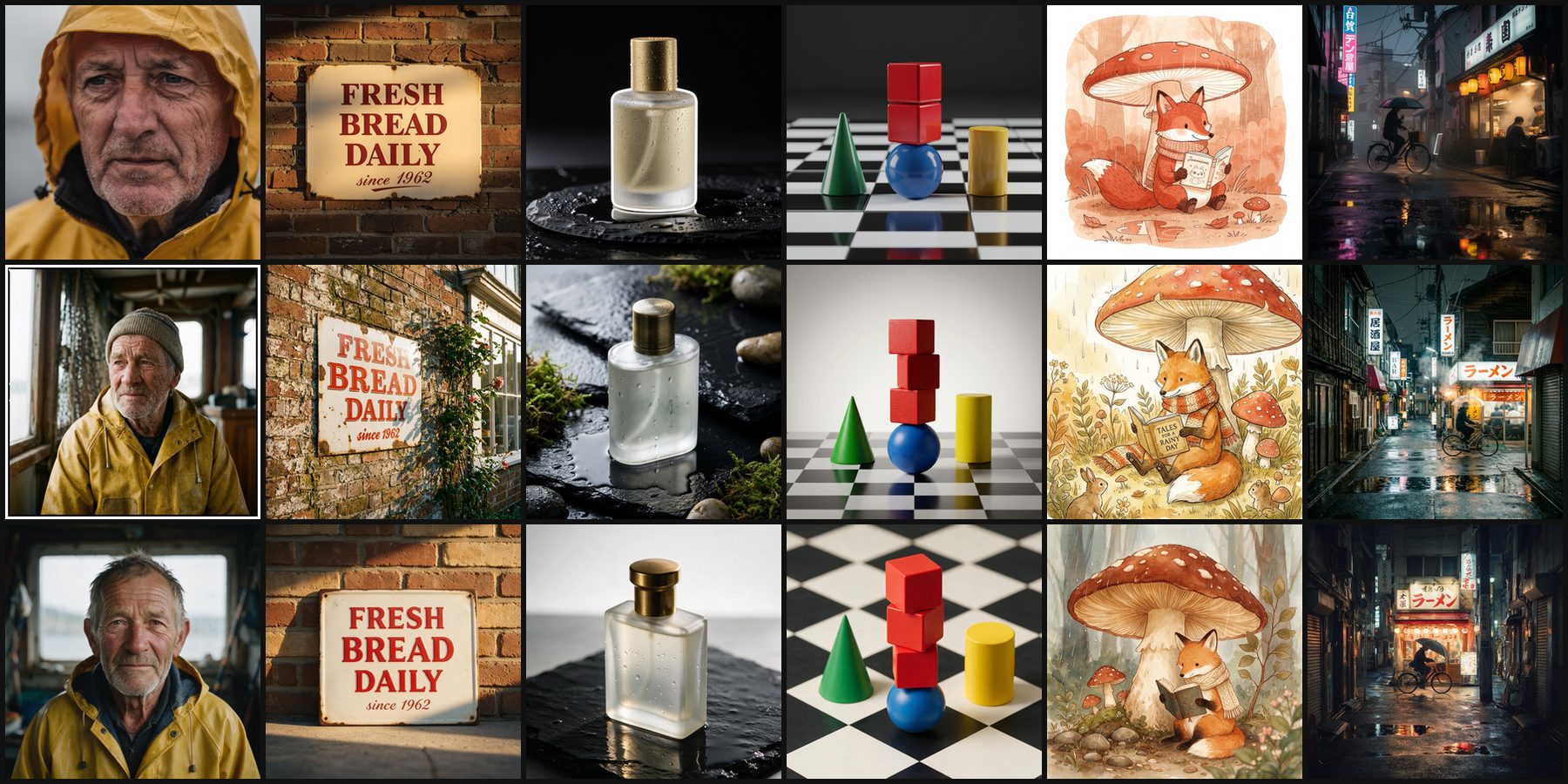
The only fair way to tell models apart is to give them the same prompt. So we did that for the whole lineup: six test prompts, every model, the same settings. The results are now public: a page for each of the 15 models, a page for every pair of them (105 in all), and a page for each aspect ratio.
This post explains how the test works and what stood out. Every claim below is something you can check in the images, and the links go straight to them.
How the test works
- Six frozen prompts. Each one targets a strength models are marketed on: photorealism, text rendering, a product shot, prompt adherence, illustration and a complex scene. The wording is fixed, because changing a prompt means regenerating it for every model.
- Every model you can pick. All 15 models in the studio's model picker. FLUX Kontext [pro] edits images rather than generating them from text, so it is not in the set.
- The request the studio sends. Square, 1 megapixel, built by the same code that builds a request when you press Generate. No per-model prompt tweaks.
- One image per model per prompt, unedited. What the model returned is what the pages show.
What it is not: a ranking. One image per prompt is a sample, not a score. Run the same prompt again and a model can land differently, so nothing here crowns a "best" model. The comparison pages work the same way: they state only the facts that hold whatever the prompt (price, plan, refinement support, native aspect ratios) and leave the rest to the images.
Prompt adherence: count the cubes
Three red cubes stacked on top of a blue sphere, a green cone to the left and a yellow cylinder to the right, on a black and white checkerboard floor, soft studio lighting
This is the most checkable prompt in the set, so it is the place to start. All 15 models put the cone on the left and the cylinder on the right. Ten of 15 stacked exactly three cubes. Five stacked two:
![Two red cubes stacked on a blue sphere between a green cone and a yellow cylinder, generated by FLUX.2 [klein] 9B](/examples/thumbnails/benchmark/composition/flux-2-klein.jpg)
![Two red cubes stacked on a blue sphere between a green cone and a yellow cylinder, generated by FLUX.2 [dev]](/examples/thumbnails/benchmark/composition/flux-2-dev.jpg)
![Two red cubes stacked on a blue sphere between a green cone and a yellow cylinder, generated by FLUX.2 [pro]](/examples/thumbnails/benchmark/composition/flux-2-pro.jpg)
![Two red cubes stacked on a blue sphere between a green cone and a yellow cylinder, generated by FLUX.2 [max]](/examples/thumbnails/benchmark/composition/flux-2-max.jpg)
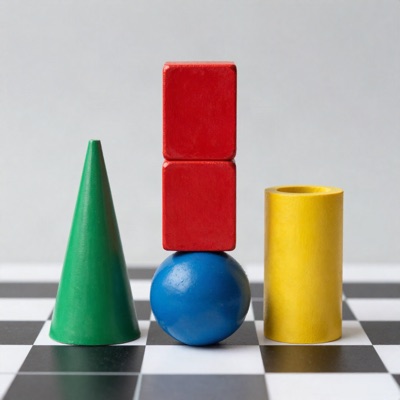
Four of the five are FLUX.2 models. The fifth, FLUX.2 [flex], got three, which makes FLUX.2 [flex] vs FLUX.2 [pro] an unusually direct comparison. Price did not decide it either: FLUX.2 [max] costs 3 credits per megapixel and miscounted just like FLUX.2 [klein] at 1, while Seedream 5 Lite at 2 got it right.
Counting is also exactly the kind of thing that varies from one run to the next. If an exact number of objects matters, generate a few and check them rather than trusting any single result, ours included.
Text rendering: spelling is solved, layout isn't
A vintage enamel sign on a brick wall that reads "FRESH BREAD DAILY" in bold red serif letters, with "since 1962" in smaller script below, morning sunlight
All 15 models spelled both lines correctly. Text used to be where image models fell apart, and on two short lines none of these did. That includes the two Free-plan models we usually point to for text, Ideogram V4 and FLUX.2 [dev], but it includes everyone else too.
What still differs is how they read the rest of the prompt. Most filled the frame with the sign. Ideogram V4 left it small in the middle of a large brick wall, and Recraft V4 painted it green, with red lettering, as part of a wider street scene with a doorway and flowers.
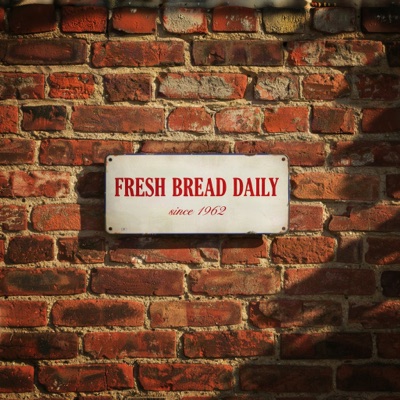
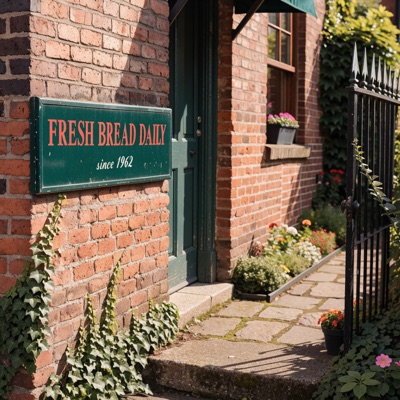
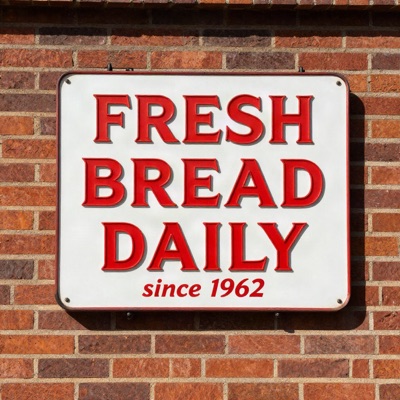
For short text, then, choose on layout and style rather than spelling. A paragraph, a menu or a dense infographic is a harder test, and this set does not cover it. Ideogram V4 vs Recraft V4 puts the two design-minded models side by side.
Product shot: watch for things nobody asked for
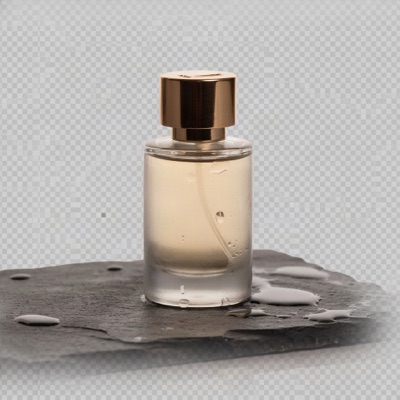
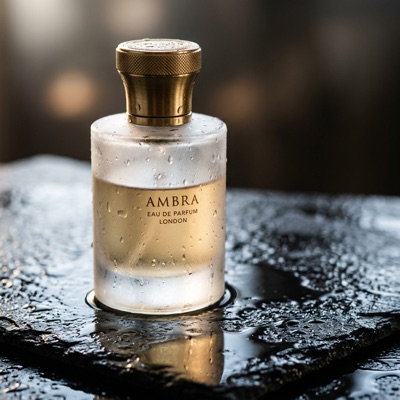
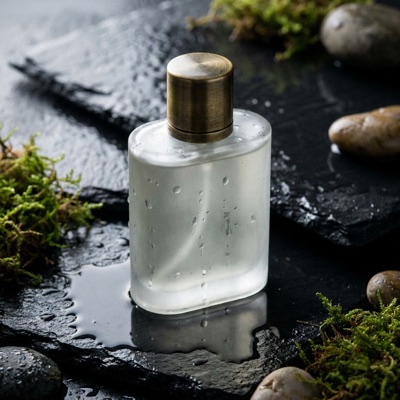
A frosted glass perfume bottle with a brass cap on wet black slate, droplets on the glass, soft rim light, reflections on the stone, studio product photography
Most models played this straight: frosted glass, brass cap, droplets, dark stone. Three added something the prompt did not ask for.
- Ideogram V4 painted a transparency checkerboard, the grey-and-white grid image editors use to show an empty background, behind the bottle, and set it on grey stone rather than wet black slate. It reads as if the model reached for a cut-out product image instead of a studio photograph.
- Nano Banana 2 printed a label on the bottle: "AMBRA, Eau de Parfum, London". That is handy if you want a finished-looking mockup, and a problem if the bottle is going to carry your own brand.
- Nano Banana Pro dressed the set with moss and pebbles.
Photorealism: "close-up" is negotiable
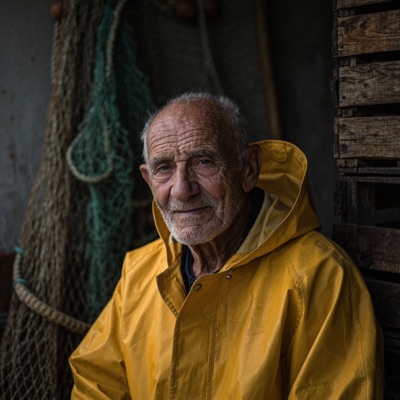
Close-up portrait of an elderly fisherman with a weathered face and grey stubble, wearing a yellow raincoat, soft overcast light from a window, shallow depth of field, 85mm photograph
Every model delivered the weathered face, the stubble and the yellow raincoat. The differences are in framing. Kling Image O3, Nano Banana 2 and Nano Banana Pro pulled back to an environmental portrait, the fisherman in his cabin among nets and ropes, and Nano Banana Pro added a print border around the photo as well. Those images tell more of a story, but they are not the close-up the prompt asked for. FLUX.2 [pro], by contrast, went in tight.
![A tight close-up of an elderly fisherman in a yellow hood, generated by FLUX.2 [pro]](/examples/thumbnails/benchmark/portrait/flux-2-pro.jpg)
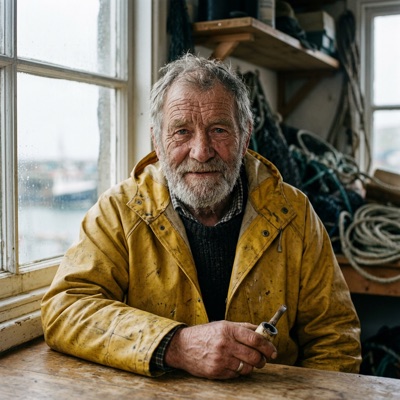
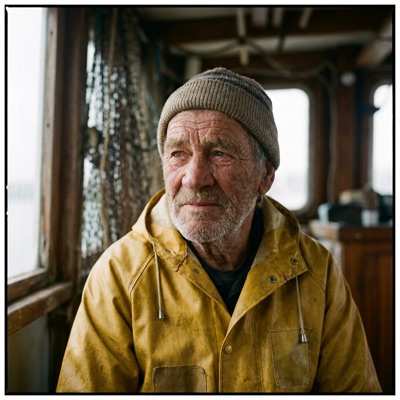
Hunyuan Image 3.0 went its own way too, adding a catch of fish in the foreground and a hand raised to the chin.
Illustration: every fox read its book
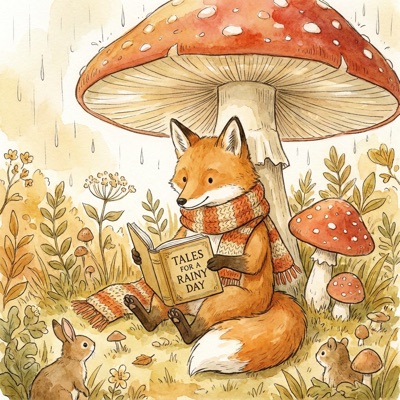
Children's book illustration of a fox in a knitted scarf reading a book under a large mushroom in light rain, soft watercolor and ink, warm palette
All 15 delivered the fox, the scarf, the book and the mushroom in something close to watercolor and ink. This is the prompt the models agreed on most, so the details are where they part ways:
- Grok Imagine 2.0 and Nano Banana Pro gave the book a title, "woodland tales" and "Tales for a Rainy Day", and Nano Banana Pro added a couple of small woodland onlookers.
- Kling Image O3 drifted furthest from watercolor. Richer colour, a glowing light and a dark background make it read more like a digital painting.


Complex scene: the hidden text test
A narrow street in Tokyo at night after rain, neon signs reflecting in puddles, a cyclist with an umbrella passing a lit ramen shop, cinematic
Wet streets, neon and reflections are well-worn territory for image models, and every model handled them. The more revealing detail is the signage, because the prompt never says what the signs read. Grok Imagine 2.0 labelled its shop ラーメン (ramen) three times, with つけ麺 (dipping noodles) and 営業中 (open) beside it. Nano Banana Pro and Seedream 5 Pro also hung a legible ラーメン over the door.
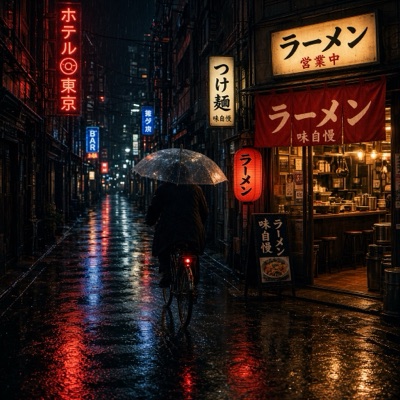
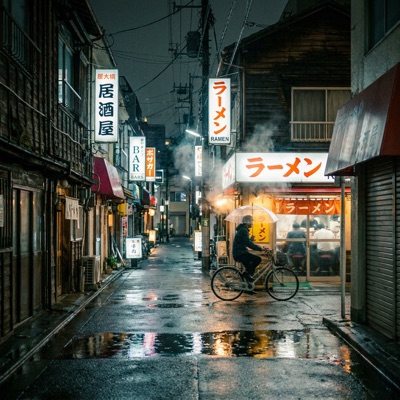
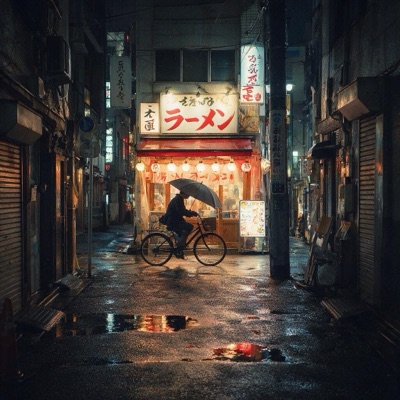
If readable signs matter for what you are making, zoom in before you use the image. In a busy scene it is easy to miss whether a sign says anything at all.
What we took away
- Short text no longer separates these models. Counting objects and following framing instructions still do.
- Unrequested extras are the most common deviation. A label, a prop, a wider frame. Whether that helps depends entirely on what the image is for.
- Price is a weak predictor on this set. The five two-cube results range from 1 to 3 credits per megapixel, and the cheapest models matched the most expensive ones on spelling.
- One image is a sample. These results are a starting point for choosing a model, not a verdict on it.
Check it yourself
- All 15 models, each with its six results, its credit cost at every quality level, whether it can refine an image, and which aspect ratios it renders natively.
- Any two models side by side, for example FLUX.2 [pro] vs Nano Banana Pro, FLUX.2 [dev] vs Ideogram V4 or Seedream 5 Lite vs Seedream 5 Pro.
- Aspect ratios: which models render each shape natively and which snap to the nearest size they support. Ideogram V4, Recraft V4 and Hunyuan Image 3.0, for instance, render 5 of the 10 natively.
Every model and comparison page also has a prompt box. Type your own prompt and it opens in the studio with those models selected, as far as your plan allows, after a quick sign-up if you do not have an account yet. Sending one prompt to several models at once is part of the Basic and Pro plans, and it is the quickest way to find out which model wins on your prompt rather than ours.